What to Do Before You Get a New iPhone
Last updated: October 25, 2026
Do the work on the old phone, while it's still yours. Everything on it gets copied to the new one: the good photos, and every old screenshot too.
The 7-step checklist
- Clear out what you don't want to move. Photos first, then apps you never open. Details below.
- Update the old iPhone: Settings → General → Software Update.
- Check you know your Apple Account password. The new phone asks for it, and so does Find My when you erase.
- Back up: Settings → [your name] → iCloud → iCloud Backup → Back Up Now.
- Move everything with Quick Start. Both phones charged, Bluetooth on, side by side. Keep them plugged in until it finishes.
- Check the new phone. Open Photos, Messages, your bank and your authenticator app before you touch the old one.
- Only then erase the old one. Unpair your Apple Watch, sign out, then Settings → General → Transfer or Reset iPhone → Erase All Content and Settings.
iCloud full? Apple lends you space
If your iCloud is too small for a backup, you don't have to pay for a bigger plan just to switch phones.
- Open Settings → General → Transfer or Reset iPhone.
- Under Prepare for New iPhone, tap Get Started.
- If backup is off, tap Turn On Backup to Transfer, then Continue.
- On the new phone, pick Restore from iCloud Backup during setup.
You get 21 days to restore. New phone late? Tap Keep My Backup Longer for 21 more. Don't erase the old phone until the restore is done.
Clear out photos first
The photo library is usually the biggest thing on the phone. A smaller library means a smaller backup and a faster move. Start with the easy wins:
- Duplicates: in Photos, Utilities → Duplicates, then Merge. More in deleting duplicate photos on iPhone.
- Screenshots: Media Types → Screenshots, select all, delete. Step by step in deleting screenshots on iPhone.
- Old videos: Media Types → Videos. A few long clips can outweigh thousands of photos.
- Recently Deleted: under Utilities, Delete All. Otherwise the space comes back only after 30 days.
On iOS 26 and later, tap Collections first; on iOS 18, scroll down; on iOS 16 and 17, tap Albums. Still short on space? See what to delete when iPhone storage is full.
Make the cleanup less of a chore
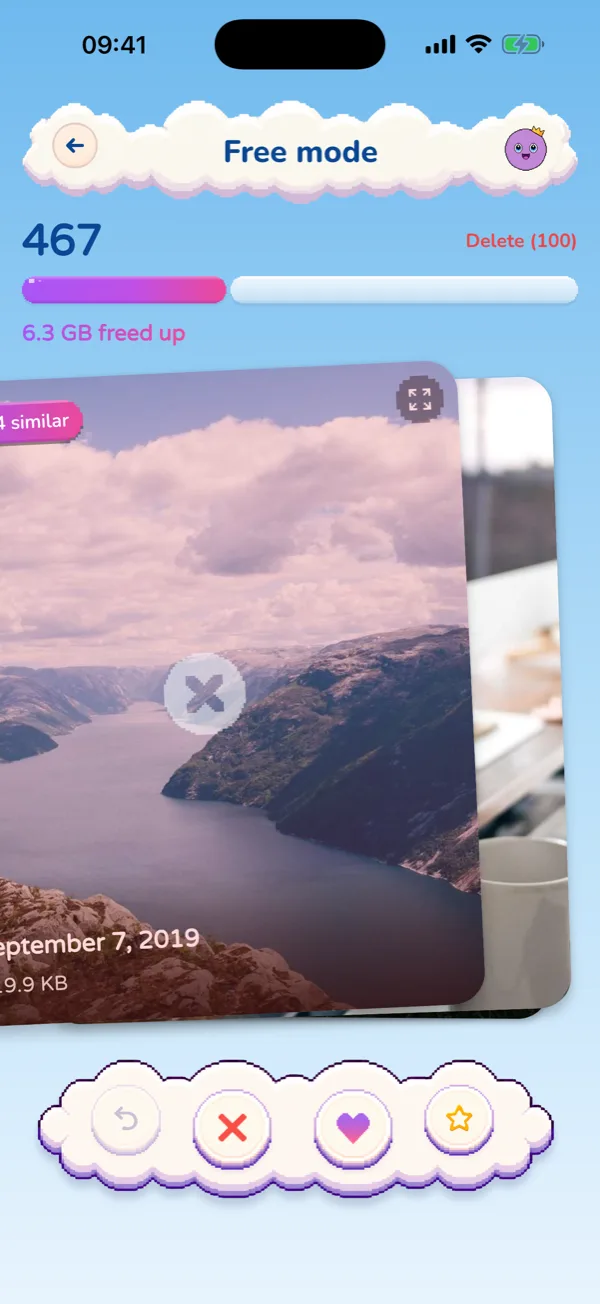
Picmori (our app) turns the photo part into a pixel-art adventure where every level is made from your own photos. Swipe left to delete, right to keep. Nothing is deleted until you confirm, and on iPhone deletions go to Recently Deleted. Free, no ads.
Quick questions
Do I need to delete photos before getting a new iPhone?
No, but whatever is on the old phone gets copied. Clearing screenshots, duplicates and old videos first makes the backup and the transfer smaller.
How long does the free temporary iCloud storage last?
21 days to restore the backup to your new iPhone, and you can tap Keep My Backup Longer for another 21. After the restore, the backup stays for 7 more days.
When should I erase my old iPhone?
Only after your photos, messages and apps show up on the new one. Apple says not to erase the old phone until a temporary backup has been restored.

Move only the photos you love
A pixel-art adventure where every level is made from your own photos. Free for iPhone and Android.
Discover Picmori