Slidebox Alternatives
Last updated: October 26, 2026
Slidebox is free to download, but on iPhone it shows ads and has no free trial. The full version is a subscription or a one-time purchase.
I make Picmori, one of the apps below. Everything about the other apps comes from their App Store and Google Play pages on October 26, 2026. Check the store page before you pay.
What Slidebox gives you for free
- The swipe: swipe a photo away to delete it, tap once to file it into an album.
- Similar photos: swipe between near-copies and keep the best one.
- Undo for any action, and favourites.
- Ads on iPhone. The App Store page says it contains advertising. The Google Play page doesn't.
- No free trial. Paid plans are monthly or yearly, or one purchase for the full version.
- Backup is gone. The optional photo backup was retired on February 1, 2026.
Changes go straight to the Photos app and iCloud, or to your gallery and Google Photos on Android. It runs on iOS 15 or later.
Slidebox and the alternatives side by side
| App | Free version | Albums while you swipe | Phones |
|---|---|---|---|
| Slidebox | Ads on iPhone, no trial | Yes, one tap | iOS 15+, Android |
| Picmori | No ads, no daily limit, a short pause after each map chapter | Auto-album with Premium | iOS 16+, Android 7.0+ |
| Wipix | Delete up to 50 photos a day | Not mentioned | iOS 15.1+, Android |
| Swipewipe | Ads | Not mentioned | iOS 18+, Android |
| Photos / Google Photos | Built in, free | Yes, by hand | Every phone |
Picmori: the swipe as a game, no ads
Left to delete, right to keep, with undo. Nothing is deleted until you confirm at the end of a session. Each chapter on a pixel-art map is built from your own photos: one year, one colour, your heaviest files.
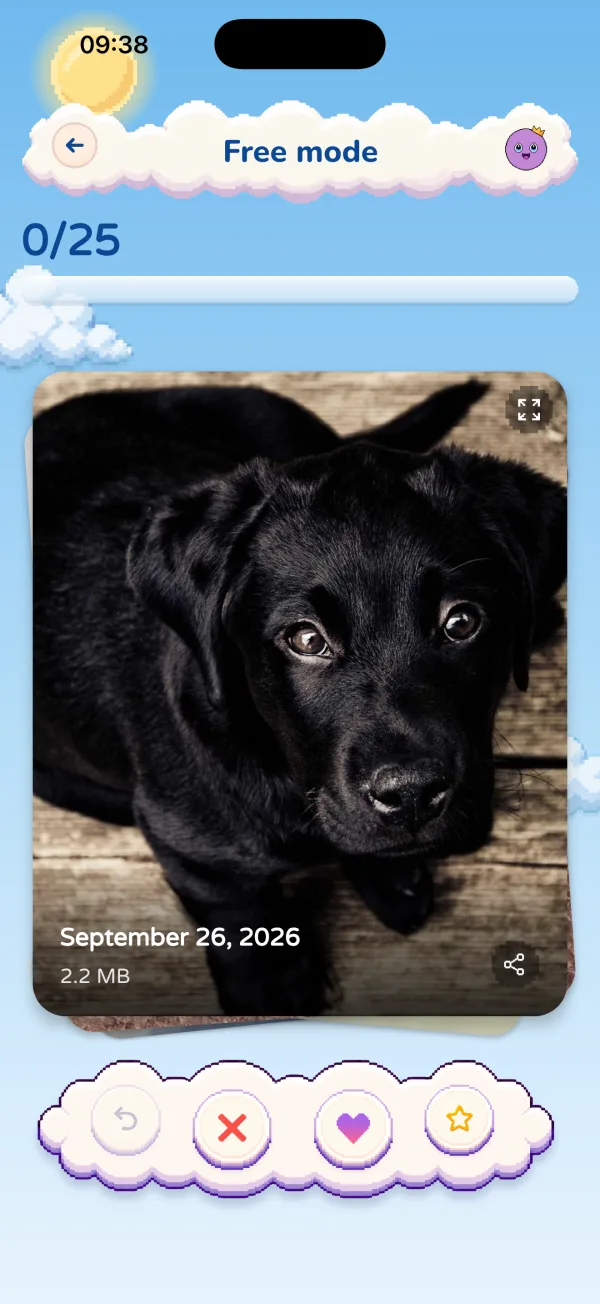
Free means no ads, no account and no daily limit. Premium (weekly, yearly with a free trial, or Lifetime) removes the pauses between chapters and adds tools like duplicates and auto-album.

Wipix: plain swipe, 50 deletions a day
Left marks, right keeps, everything marked goes in one batch after you confirm. Ten levels and a weekly leaderboard. The store page doesn't mention ads. A one-time Premium removes the daily cap.
Swipewipe: month by month, with ads
You clean one month at a time and it spots similar photos, blurry shots and old screenshots. Free with ads, like Slidebox on iPhone, and it needs iOS 18. More in Swipewipe alternatives.
No app at all: what Photos already does
- iPhone duplicates: Photos → Utilities → Duplicates → Merge.
- iPhone screenshots: Media Types → Screenshots, select, delete.
- Android screenshots: Files by Google → Clean → Old screenshots, or the Screenshots folder in Google Photos.
- Albums: select photos, tap Add to Album. Slower than one tap, but free.
Step by step: cleaning an iPhone library and cleaning an Android gallery.
Which one to pick
- Albums are the point: stay with Slidebox, or pay once to drop the ads.
- No ads, no cap, and a bit of fun: Picmori.
- No ads, a few minutes a day: Wipix.
- Just a quick tidy: the built-in tools above.
More apps by their free versions: free photo cleaners with no daily limit and the photo cleaner app comparison.
Quick questions
Is Slidebox free?
Slidebox is free to download. On iPhone the App Store page says it contains ads, there is no free trial, and a subscription or a one-time purchase unlocks the full version.
Is there a free app like Slidebox without ads?
Picmori and Wipix use the same swipe and show no ads. Picmori has no daily limit, only a short pause after each chapter on its map, and Wipix lets you delete up to 50 photos a day for free.
What happened to Slidebox backup?
Slidebox's App Store notes say its optional photo backup service was retired on February 1, 2026. Your photos stay in the Photos app and iCloud, or in your gallery and Google Photos on Android.

Swipe your gallery with Mori
A pixel-art adventure where every level is made from your own photos. Free for iPhone and Android, with no ads.
Discover Picmori