How to Delete Photos on iPhone
Last updated: November 2, 2026
Open Photos, tap Select, slide a finger across the photos you don't want, tap the trash can. Then empty Recently Deleted: until you do, the space stays taken.
Delete one photo
Open the photo, tap the trash can, then Delete Photo. That's it.
Delete many photos at once
Step 1: Tap Select
Scroll the library to the photos you want gone and tap Select at the top.
Step 2: Slide, don't tap
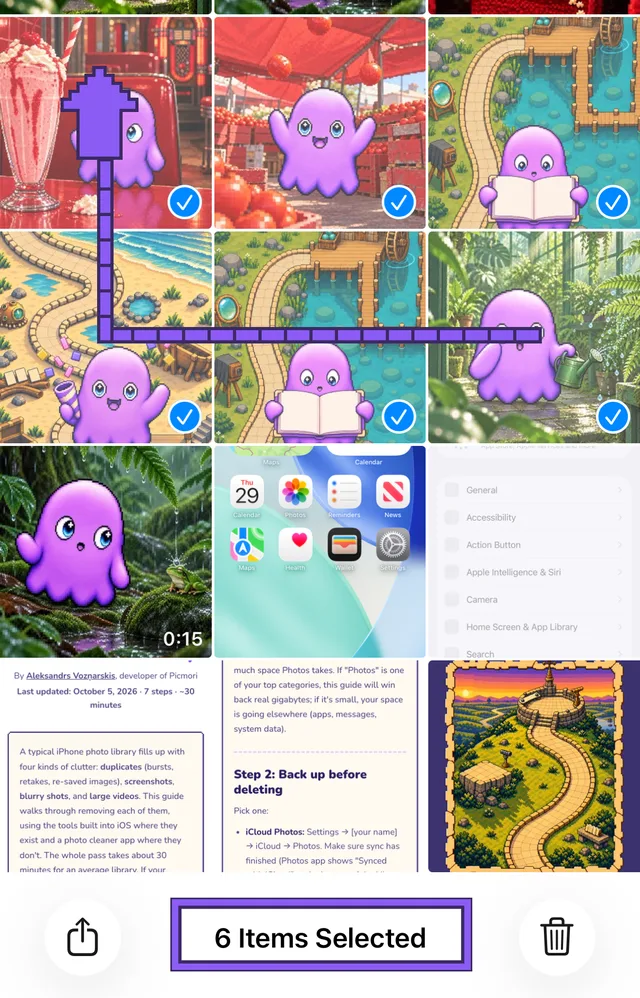
Slide straight up first and you scroll the page instead. Sideways first, then up.
Step 3: Delete them
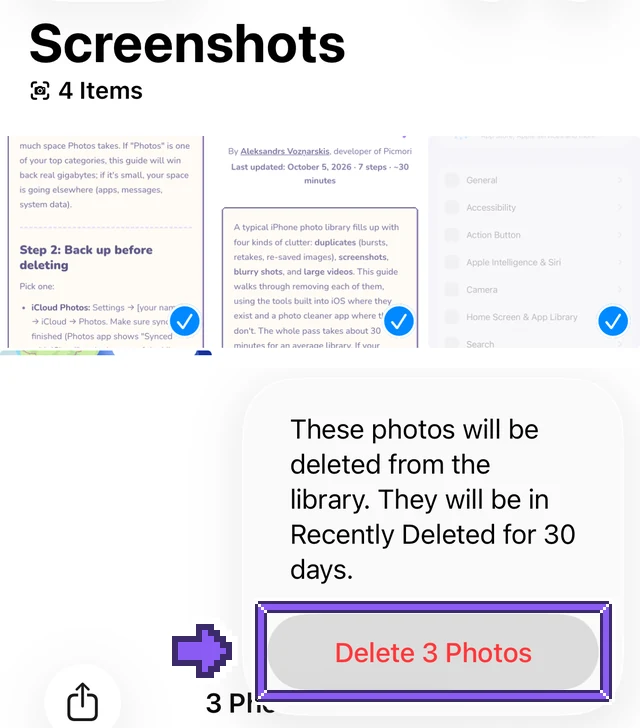
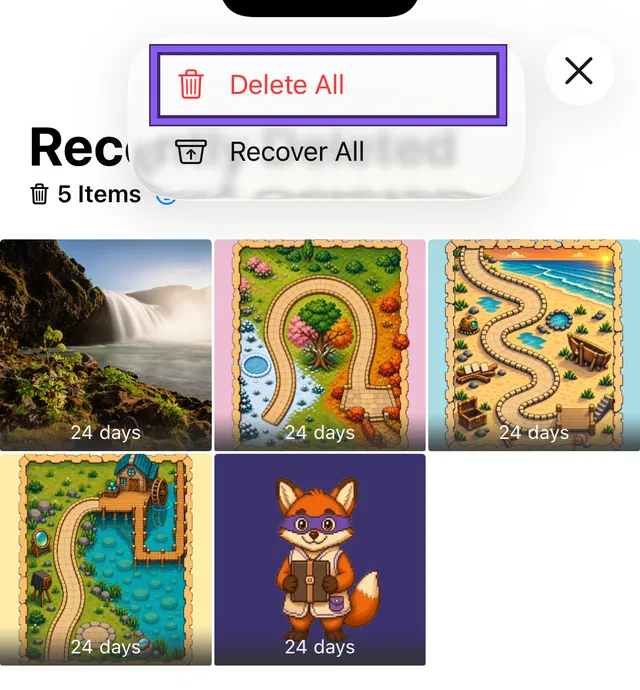
Step 4: Empty Recently Deleted
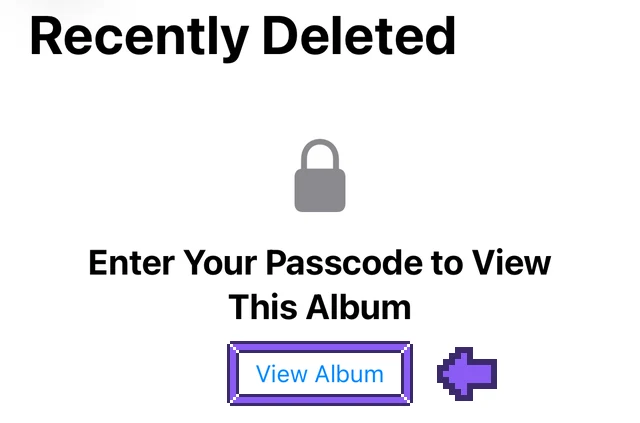
Skip this and the photos sit there 30 days, still taking space. They can be recovered until then.
Delete all photos on iPhone
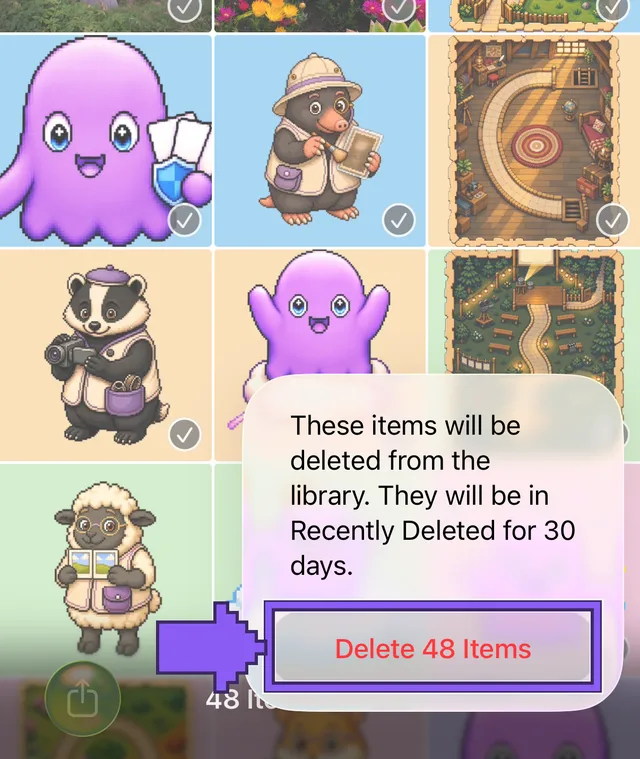
The main library has no Select All. Tap Select, put a finger on the newest photo, slide left along the row, then up to the top and hold. The grid races up and checks everything.
A big library takes a while to scroll. Faster for one kind of photo: collections under Collections → Media Types, such as Screenshots, have a real Select All. Screenshots step by step: delete all screenshots on iPhone.
Anyone in it can delete a shared photo, and it's gone for everyone. Only the person who added it can delete it for good.
Deleted, but storage is still full?
- Recently Deleted isn't empty yet. Step 4.
- The trash can is gray: the photo came from a computer sync. Delete it there, or stop syncing photos in Finder.
- Duplicates still take space: merge them in Photos.
More ways to free space: iPhone storage full.
When you can't decide: Picmori
Selecting a hundred thumbnails is easy. Deciding which hundred is the hard part. Picmori deals your photos one at a time like cards: left to delete, right to keep, with undo.
Nothing is deleted until you confirm at the end, and iOS asks once more. The whole tidy-up, step by step: clean up your iPhone photo library.
Questions about deleting photos
Is there a Select All for the whole library on iPhone?
Not in the main library view. Tap Select and slide your finger across a row, then up to the top: the grid scrolls and selects everything you pass. Collections such as Screenshots do have Select All.
If I delete photos on my iPhone, are they deleted from iCloud?
Yes, if iCloud Photos is on. A photo you delete on one device is deleted on every device signed in to the same Apple Account, and on iCloud.com.
Why is the Trash button gray?
The photo was synced to your iPhone from a computer. Delete it on the computer or stop syncing photos from it in Finder or iTunes.

Swipe through your photos with Mori
A pixel-art adventure where every level is made from your own photos. Free for iPhone and Android.
Nothing is deleted until you confirm. Your photos never leave your phone.
 On a computer? Point your phone's camera here to get Picmori.